

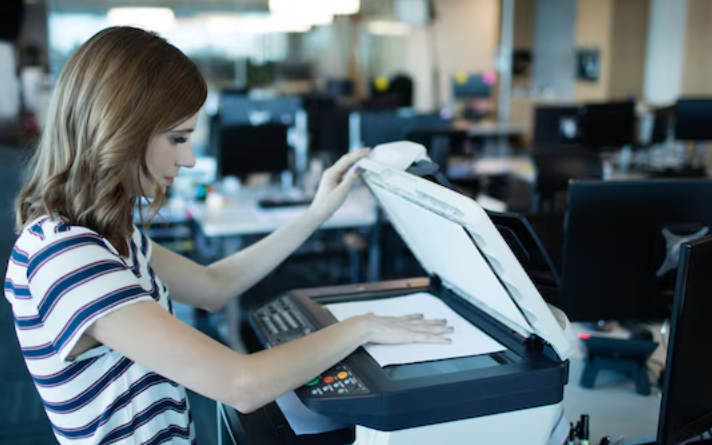
Running a smooth office means having a reliable machine that can handle daily reports, contracts, invoices, and presentations without constant jams or toner changes. The best printer for office use isn’t just about printing fast — it’s about durability, low running costs, and smart features that keep your team productive.
What Makes a Printer “Best for Office Use”?
A true best printer for office use is built for high-volume, multi-user environments, not occasional home printing.
Key traits of a good office printer:
-
Laser technology (mono or color) for sharp text and fast printing
-
High monthly duty cycle (10,000+ pages) to handle heavy workloads
-
Automatic duplex printing to save paper and time
-
Large paper trays (250–500+ sheets) to reduce refills
-
Network connectivity (Wi-Fi, Ethernet, cloud printing) for shared access
For most offices, a multifunction laser printer (print, scan, copy, fax) offers the best balance of speed, quality, and cost.
Types of Office Printers: Laser vs. Inkjet
When choosing the best printer for office use, the first decision is usually laser vs. inkjet.
Laser Printers (Best for Most Offices)
-
Ideal for: Text-heavy documents, reports, invoices, and high-volume printing
-
Pros:
-
Fast printing (20–40+ pages per minute)
-
Low cost per page (especially mono)
-
Sharp, smudge‑free text
-
Handles large paper loads and long print runs
-
-
Cons:
-
Higher upfront cost
-
Color laser models are more expensive to run
-
Inkjet Printers (Best for Mixed Use)
-
Ideal for: Offices that print photos, marketing materials, or need low upfront cost
-
Pros:
-
Lower initial price
-
Excellent photo and color graphics quality
-
Good for small teams with moderate print volume
-
-
Cons:
-
Higher cost per page
-
Printheads can clog if not used regularly
-
For most businesses, a mono or color laser printer is the smarter long‑term choice.
Must-Have Features in the Best Office Printer
To avoid frustration and downtime, look for these features in your best printer for office use.
1. Multifunction (All-in-One)
A printer that also scans, copies, and sometimes faxes saves space and money.
-
Built‑in flatbed and ADF (Automatic Document Feeder) for quick scanning
-
Duplex scanning for double‑sided documents
2. High Paper Capacity
-
Standard tray: 250–300 sheets
-
Optional trays: Expandable to 500–800+ sheets for busy offices
3. Network & Mobile Printing
-
Wi-Fi, Ethernet, and cloud printing (Google Cloud Print, Apple AirPrint, Mopria)
-
Mobile apps for printing from smartphones and tablets
4. Security & Management
-
PIN printing, secure pull printing, and user authentication
-
Remote monitoring and toner/ink level alerts
5. Low Running Costs
-
High‑yield toner/ink cartridges
-
Support for affordable third‑party or compatible cartridges
These features ensure your printer supports both daily tasks and document scanning services without bottlenecks.
How a Portable Scanner Complements Your Office Printer
While the best printer for office use handles output, a portable scanner is perfect for quick, on‑the‑go digitization.
Use a portable scanner to:
-
Scan receipts, business cards, and small documents while traveling
-
Digitize contracts or forms at client meetings
-
Feed scanned files into your office printer’s scan-to-email or scan-to-cloud workflow
For full document management, pair your office printer with a dedicated document scanning services provider for bulk archiving, or use a high‑speed scanner for large volumes.
Top Picks for Best Printer for Office Use in India
Based on performance, reliability, and value, here are some of the top choices for the best printer for office use in India.
For High-Volume Mono Printing
-
HP LaserJet Pro M404dn
-
Fast mono printing (38 ppm)
-
Secure printing and network connectivity
-
Ideal for large offices with heavy text printing
-
For All-in-One Laser (Print, Scan, Copy)
-
Canon imageCLASS MF445dw
-
Reliable mono laser with ADF and duplex scanning
-
Easy to manage and low maintenance
-
Great for small to mid‑sized offices
-
For Color Printing & Marketing
-
Brother MFC-L8905CDW
-
Fast color laser with high paper capacity
-
Excellent for reports, presentations, and marketing materials
-
Strong durability for busy workgroups
-
For Budget-Friendly Offices
-
Brother HL-L2460DW
-
Affordable mono laser with automatic duplex
-
Low cost per page and reliable performance
-
Perfect for small teams with moderate printing
-
These models represent the best printer for office use across different budgets and needs.
Maintaining Your Office Printer for Long Life
A well-maintained printer lasts years and avoids costly repairs.
Simple maintenance tips:
-
Clean the paper path and rollers regularly
-
Use high‑quality paper to reduce jams
-
Replace toner/ink before it runs completely dry
-
Run periodic cleaning cycles and firmware updates
-
Keep the printer in a dust‑free, well‑ventilated area
Regular care keeps your best printer for office use running smoothly and supports efficient document scanning services and workflows.
Conclusion
The best printer for office use is a reliable, fast, and cost‑effective machine that fits your team’s volume and workflow — whether that’s a high‑speed mono laser, a color all‑in‑one, or a budget model for a small team. When paired with a portable scanner and smart document scanning services, it becomes the backbone of a paper‑lite, productive office.

 English
 Arabic
 French
 Spanish
 Portuguese
 Deutsch
 Turkish
 Dutch
 Russian
 Romaian
 Portuguese (Brazil)
 Greek